
ROYALTY ACCOUNTING
Royalty Accounting That Actually Works
Music royalty accounting software works out what each artist and label earns from streaming and download royalties, contributors included, then reports it. As record label accounting software, it also carries the label-side ledger: expenses and recoupment, with reporting by label. LabelGrid handles that accounting: incoming DSP payments are processed, your configured splits and recoupment are applied, and the per-artist statements you generate come out transparent and already reconciled. No more spreadsheets, no more guessing. It scales from a solo artist to a distributor running dozens of labels, and it is the same accounting engine either way.
CONFIGURABLE SPLITS
What does royalty accounting software do?
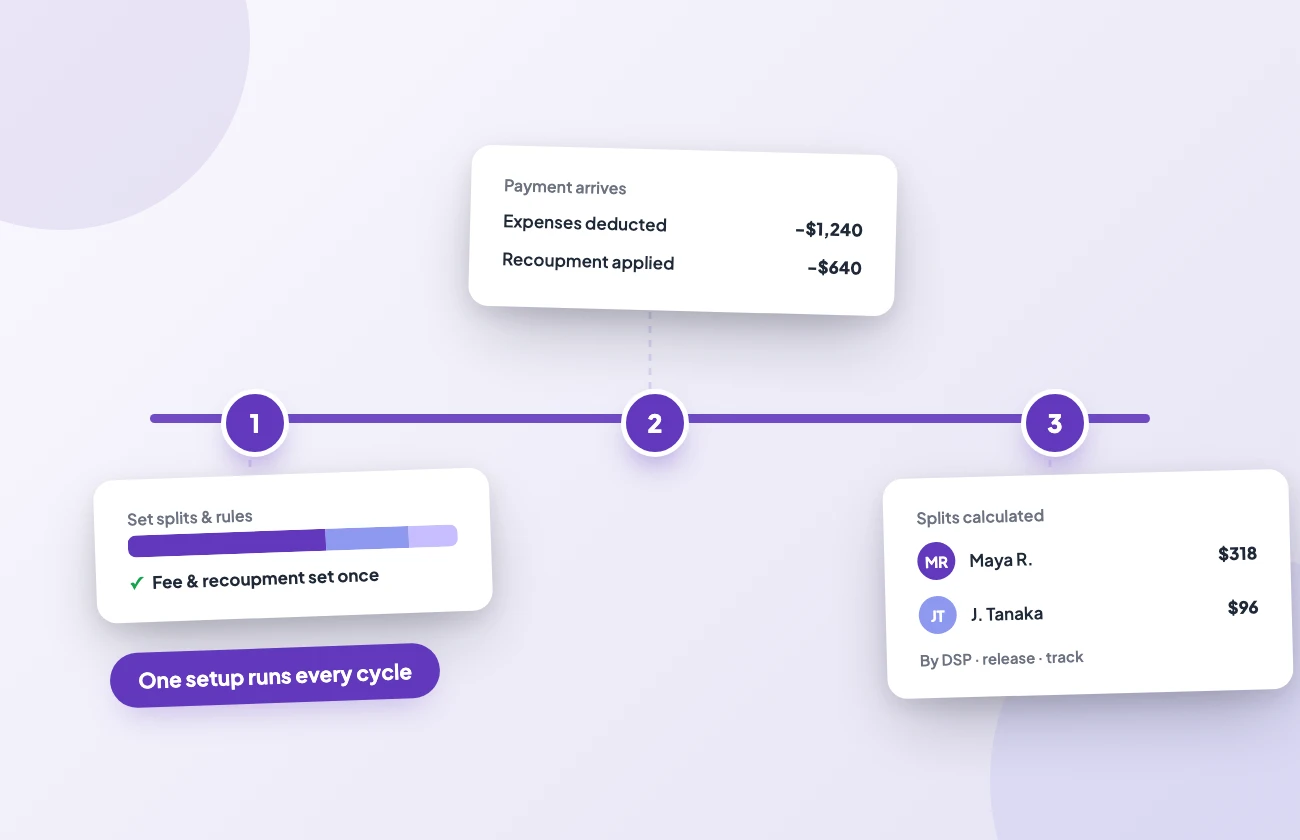
It takes the money DSPs pay and turns it into accurate statements and balances for everyone owed a share. You configure royalty splits once, per release or per track. When DSP payments arrive, LabelGrid calculates each party’s share automatically and your label keeps the remainder, and the same configuration handles every cycle with no manual recalculation. Automated splits are included from the Basic plan up and cover your LabelGrid distribution earnings. Direct-deal (SOBO) and hybrid catalogs report into the same statements, each tracked separately with per-DSP breakdowns.
TRANSPARENT REPORTING
Can I send artists their own statements?
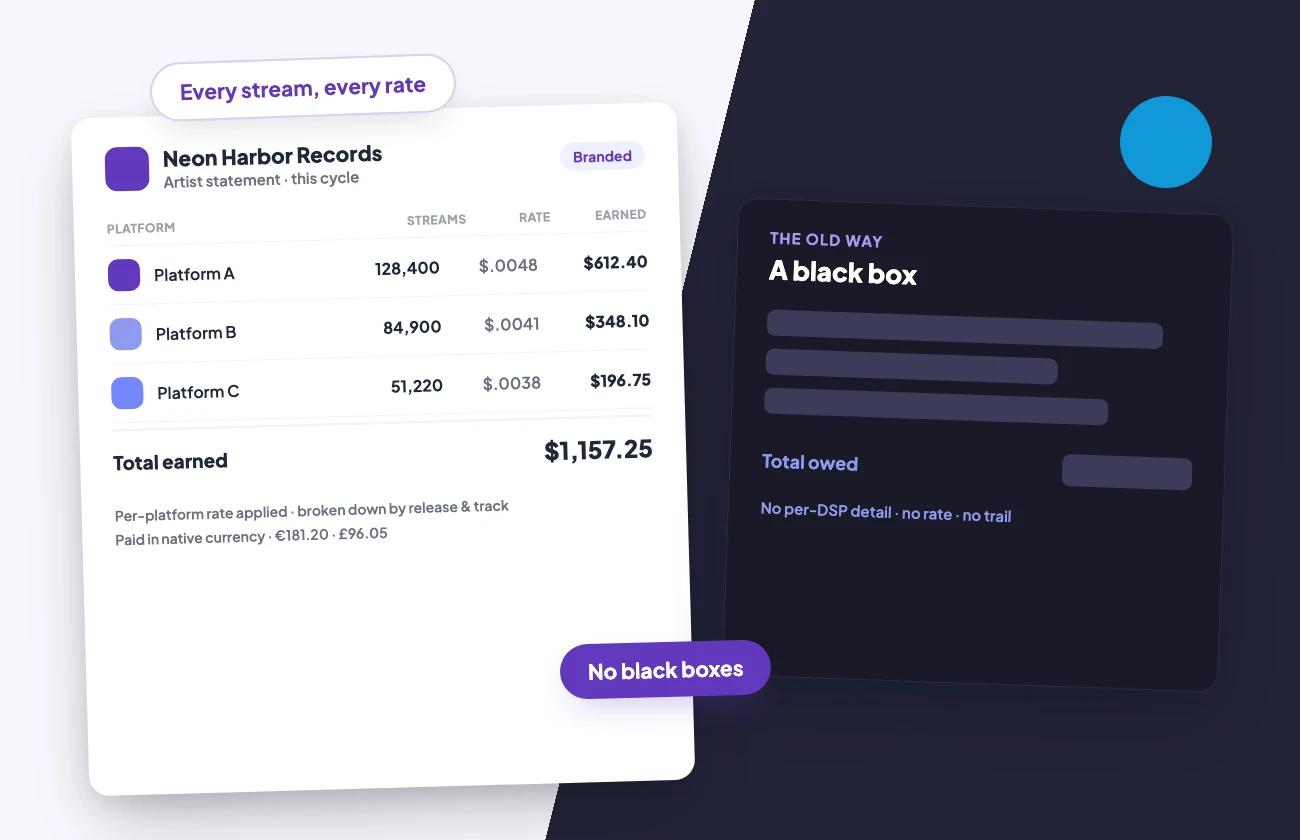
Yes. Every statement shows DSP-level detail: which platform, how many streams, what rate, and what each party earned, broken down by release and track. Royalties are calculated in each platform’s own currency, then converted to your payout currency. Multi-currency earnings stay accurate. Export a statement as a PDF to send to the artist, or pull transactions as CSV for your books. Statements go out under your own label’s identity in front of your artists, with your logo and your label name, from the Pro plan up. Artist statements are part of Artist Payouts, included from Basic ($199/year) up. No black boxes, no guessing.
HOW IT WORKS
How royalty accounting works in three steps
1. Configure
Set royalty splits per release or per track. Log each expense against the release it belongs to, set the label’s share of that cost if you are splitting it, and commit it. The split configuration then applies to every future cycle.
2. Process
When platforms report earnings, LabelGrid credits each artist by their split automatically, tracked by DSP and release, right down to the individual track. Committed expenses then reduce those balances until they are recouped.
3. Pay
Generate statements, approve them, then record each payment as you send it. LabelGrid tracks the whole payment lifecycle, so every artist gets a clear, itemized record.
Stop Chasing Numbers. Start Running Your Label.
Published pricing with no per-release fees, and a free 7-day trial.
EXPENSE TRACKING
How does the expense ledger handle recoupment?
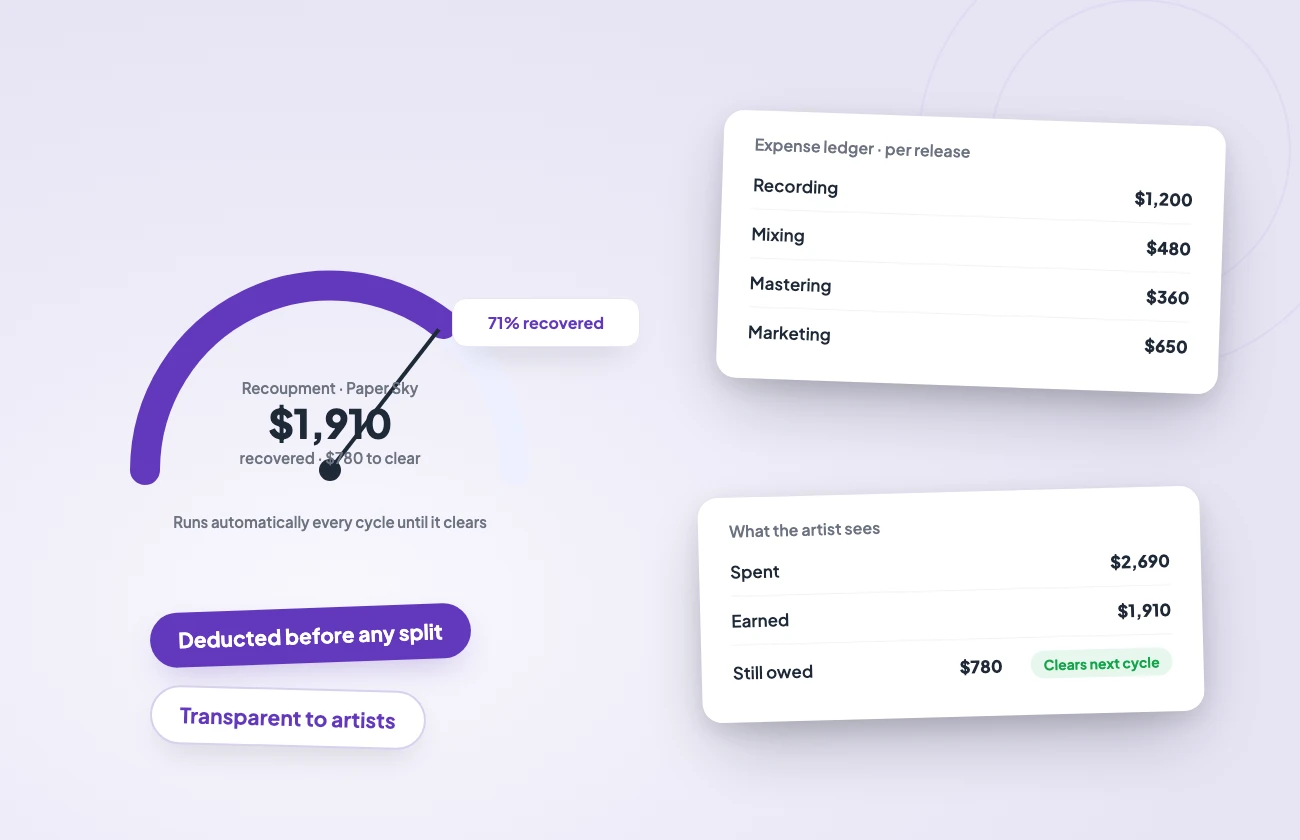
Log what you spend on recording and mixing, plus mastering and marketing, against the specific release it belongs to. Earnings are credited to each artist by their split, then those costs reduce the artist’s balance, and recoupment runs every payment cycle until it clears. Your artists see exactly where they stand: what was spent, what was earned, and what they’re still owed. That transparency is what builds trust on a roster. Automated splits start on the Basic plan. The expense ledger and artist statements come with Artist Payouts from that same tier, from $199 per year with no per-release fees.
PAYOUTS & ANALYTICS
How are royalties paid out?
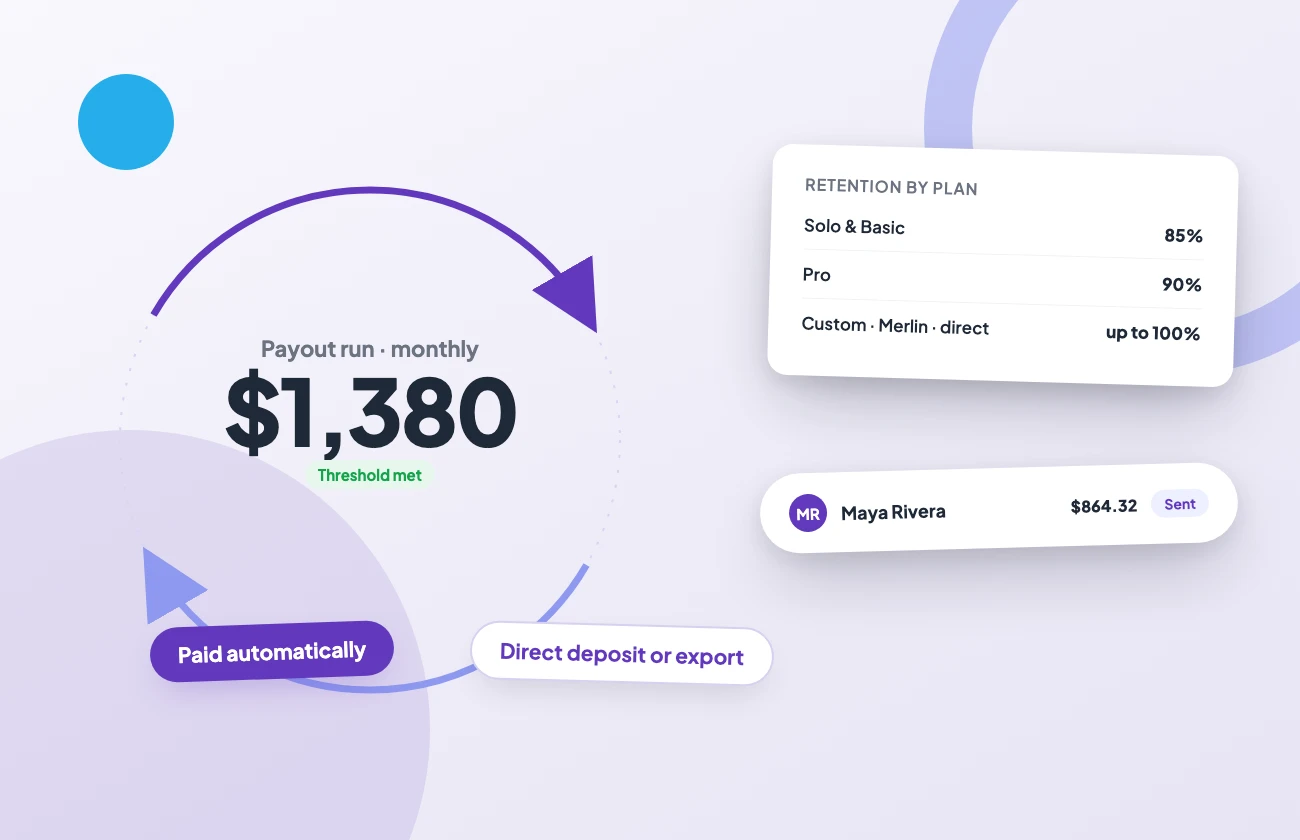
LabelGrid pays your own cleared royalties out monthly by bank transfer or wire. There is no minimum payout threshold. Roster payments run on your own rails. LabelGrid builds the payment request from the approved statement, you send it from your own bank, then you mark it paid so the ledger and the artist’s balance update in the same step. You keep control of the funds; the accounting stays reconciled. Retention depends on your plan and deal type: 85% on Solo and Basic, 90% on Pro, and 95% on Custom and API plans under LabelGrid’s DSP deals. UGC and Content ID earnings through LabelGrid’s deals carry a 20% fee on every plan, so you keep 80%. If your label holds its own Merlin Network membership or its own direct DSP feed contracts, LabelGrid delivers under your agreements via SOBO on Custom and API plans, and you keep 100% on that catalog. LabelGrid-feed, direct-deal (SOBO) and hybrid catalogs all report into the same statements, each tracked separately with per-DSP breakdowns. The dashboard updates earnings by DSP and release, right down to the track. Advanced analytics comes with every standard plan, and white-label reporting starts at Pro. Accounting reads straight from your catalog, and the same processing runs through the white-label REST API for distributors. The artist payouts guide walks through setting up accounts and the payment workflow.
ROYALTIES AND STREAMS
What you earned, and what was played
Accounting settles the money: splits, recoupment, statements, payouts. Analytics answers the other question. What was played, in which countries, on which store, and which playlists it landed in. Spotify, Apple Music and Deezer, plus every other store that reports, feed one dashboard, and reporting never fabricates a number. Where a store has not reported a metric it is labelled as not reported, never shown as a zero, so the figures you act on are the figures the stores sent.
CONNECT YOUR AI ASSISTANT
Ask your royalty questions in plain language
Connect Claude, Cursor, or any MCP-compatible AI assistant to your LabelGrid account through the official open-source MCP server and ask for what you need: last quarter’s statement broken down by label, this week’s streams by store, or what is blocking a release in review. Your assistant can read anything in your account right away, and the actions that change data are yours to switch on whenever you want them.
MORE FEATURES
Discover All LabelGrid Services
Distribution
Distribute music to all major platforms with advanced metadata and batch operations.
Catalog Management
Manage your releases and tracks, plus artwork and metadata, across your entire catalog from one dashboard.
Promotion
Promo tools, private sharing links, teaser generation, and playlist pitching built into the platform.
White Label & API
Run your own branded distribution platform with LabelGrid’s white-label infrastructure and REST API.
COMMON QUESTIONS
Frequently Asked Questions
Start Your Free Trial
Automated royalty splits, expense tracking and artist statements from the Basic plan up. One dashboard, published pricing, no per-release fees.